
CYGNA DDI APPLIANCES
Cygna DDI runIP Appliance Manager
Centralized management, monitoring, and package deployment for deployed Cygna runIP appliances.

Extensive appliance statistics
Cygna runIP Appliance Manager provides monitoring, auditing, and statistics reporting. The appliance dashboard provides a summary of pre-daemon status of all deployed runIP appliances at a glance. Real time diagnostics testing enables remote initiation of probes or data collection to facilitate status checks and troubleshooting. Graphical reports are available to view data over time related to the appliance vitals such as CPU and memory, as well as DHCP and DNS transactions. Appliance package update history provides useful audit data as well as the ability to roll back packages to a prior point in time.

Integrated package management
Cygna runIP Appliance Manager enables management of both software and configuration packages. Software packages consist of software updates, patches, and upgrades or downgrades of software running on runIP appliances. Configuration packages relate to affiliated configuration files and user exits that enable updating software parameters and running supplemental scripts easily and efficiently. Inter-package compatibility checking assures you of successful operational software and configuration updates.

Centralized runIP appliance inventory
Cygna runIP Appliance Manager provides a centralized inventory of Cygna runIP appliances deployed throughout your network. No need to SSH into each appliance to gather inventory and versioning information. Cygna runIP Appliance Manager tracks software and configuration package versions for DHCP, DNS, and related appliance daemons from a single pane of glass. This inventory information is critical for tracking different versions of various appliance packages deployed across your network.

Appliance bootstrapping
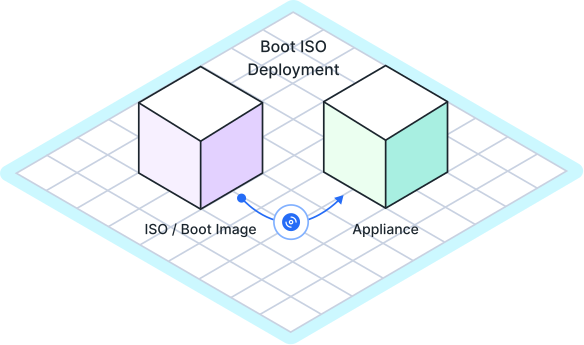
The Cygna runIP Appliance Manager enables the creation of a boot ISO for bootstrapping a hardware or virtual appliance. Bootstrapping information includes basic networking information so the appliance can mount the ISO and initialize with its network configuration for connection to the network for further configuration, control, and monitoring from the Cygna runIP Appliance Manager.

Scalable management
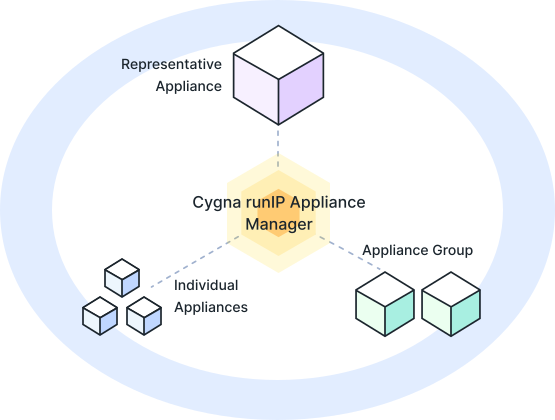
Appliance groups enable the scaling of appliance management functions by applying package updates to all appliances within a defined group at once. Appliance pairs enable the status tracking and updating of a high-availability pair of appliances. Appliance groups can contain individual appliances, pairs, and even other appliance groups. The Cygna runIP Appliance Manager also provides package management not only for VitalQIP and Sapphire DHCP and DNS packages but also for the corresponding centralized IPAM servers themselves.
Let Us Help You Tackle Your IT Challenges
Schedule your demo today to see what's possible.