
CYGNA ENTITLEMENT AND SECURITY FOR ACTIVE DIRECTORY
Comprehensive insights in Entitlements for enhanced Security in Active Directory
Permission and group membership insights for Active Directory security and compliance.

Entitlement and Security for Active Directory
Active Directory (AD) is the primary method to provide authentication and authorization at 90% of the Global Fortune 1000 companies and most organizations of all sizes. It is often synchronized or federated to provide access to cloud applications and resources as well. AD security issues can result in costly service disruptions, data breaches, or fines for non-compliance. Organizations need to verify who has the appropriate AD permissions and security delegations set to maintain security and operations. Manual verification is not practical even in small environments. Cygna Labs Entitlement Explorer for Active Directory provides the ability to gather and report on the latest (or historical previous point-in-time collections) AD entitlements and group memberships.
Permission and Security Audit
Gain unprecedented visibility into the security posture of your current Active Directory infrastructure. Easily report on who has the ability to change your critical infrastructure such as Domain Controllers, Group Policy Objects, or your FSMO Roles using the built-in reports or customize them for your own needs. Use the Entitlement Explorer to zero in on legacy security delegations that allow users to reset passwords of other admins or add themselves to privileged groups without themselves being in those groups. Use these reports to decrease your risk and resolve potential vulnerabilities around the MITRE ATT&CK Framework.
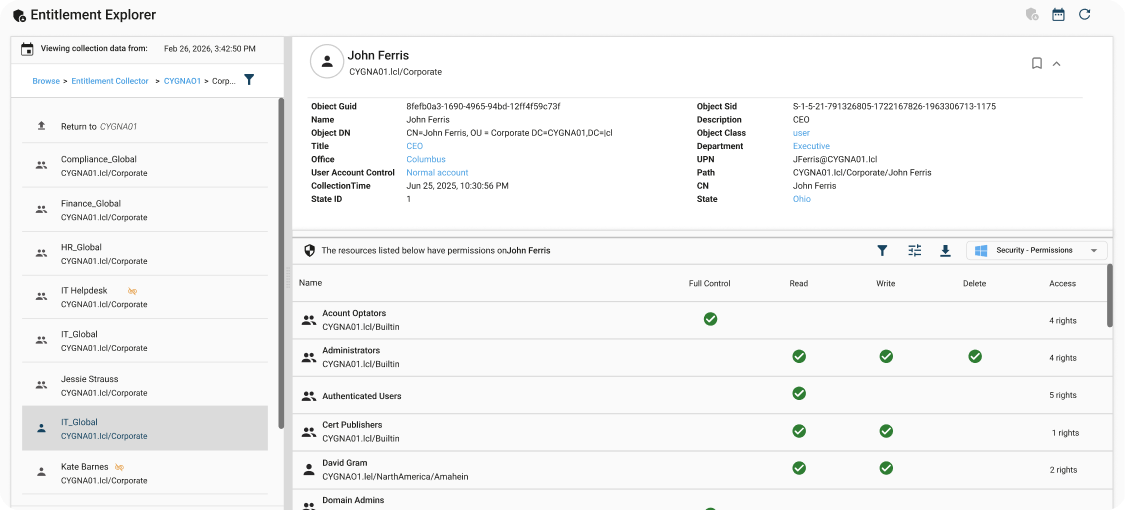

Validate user and group access and permissions
See where users or groups have access rights in the environment. This enables you to verify that the appropriate permissions are set for their role. You can also ensure that permissions have been revoked for role changes or when someone leaves the organization. These Entitlement reports can be easily scheduled for delivery or delegated to auditors and non-technical owners.
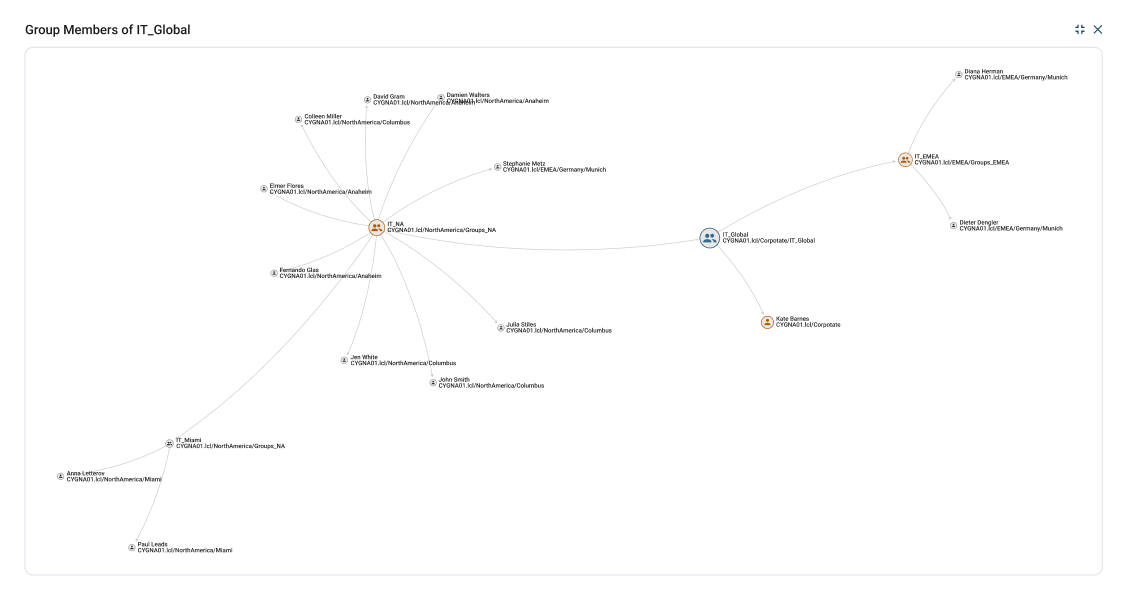

Powerful Search
Leverage the built-in security audit reports to answer common inquiries. You can also use the Entitlement browser to interactively search or create your own security audit reports.

Security Permissions Search
Find where is a particular permission is set in the environment. You can look for permissions that are set too broad such as everyone with full control permissions.

Permissions on AD Objects
Show the true effective permissions on AD objects. See what has been set directly or expand to all trustees.
Take control of your systems today
Take the first step towards insight, alerts, and compliance on your audit data. Learn more by downloading a Cygna Auditor datasheet.
Request a Demo
Our experienced engineers will fine-tune the demo based on your specific needs. You’ll find out how easy it can be to secure your sensitive data.