
CYGNA ENTITLEMENT AND SECURITY FOR ENTRA ID
Comprehensive insights in Entitlements for enhanced Security in Entra ID
Permission and group membership insights for Entra ID security and compliance

Entitlement and Security for Entra ID
Entra ID is Microsoft’s cloud-based identity and access management solution. It is a directory and identity management service that operates in Microsoft’s cloud environment and provides authentication and authorization services to Microsoft 365, Microsoft Azure, Dynamics 365, and various third-party services among others. It is a prime target for attackers that wish to gain or elevate privileges that could result in data breaches and service disruptions. Organizations need to verify the appropriate permissions are set and discover vulnerabilities and risky configurations to maintain security and operations.Cygna Labs Entitlement Explorer for Entra ID provides the ability to gather and report on the latest (or historical previous point-in-time collections) Entra ID entitlements and group memberships.
Validate User Access and Permissions
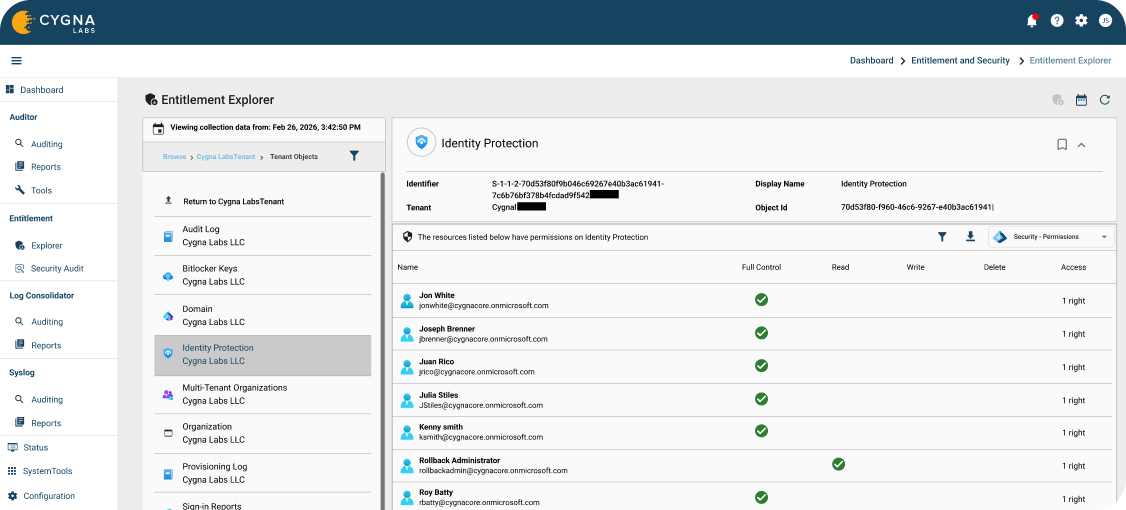
Gain unprecedented visibility into the security posture of your current Entra ID Tenant. Easily report on objects within the tenant as well as who has the ability to change those objects such as Conditional Access Policies, devices, groups, roles etc. Use the Entitlement Explorer to zero in on security delegations that allow users to reset passwords of other admins, as well as what a user has access to, group memberships, assigned scope roles, administrative unit membership, licenses assigned to them and even what API permissions they have access to as well as what other users have access to their object. These entitlement reports can be scheduled or delegated to ensure that separation of duties and the principal of least privileges is being followed. Verify permissions have been revoked when a user changes roles or leaves the organization.

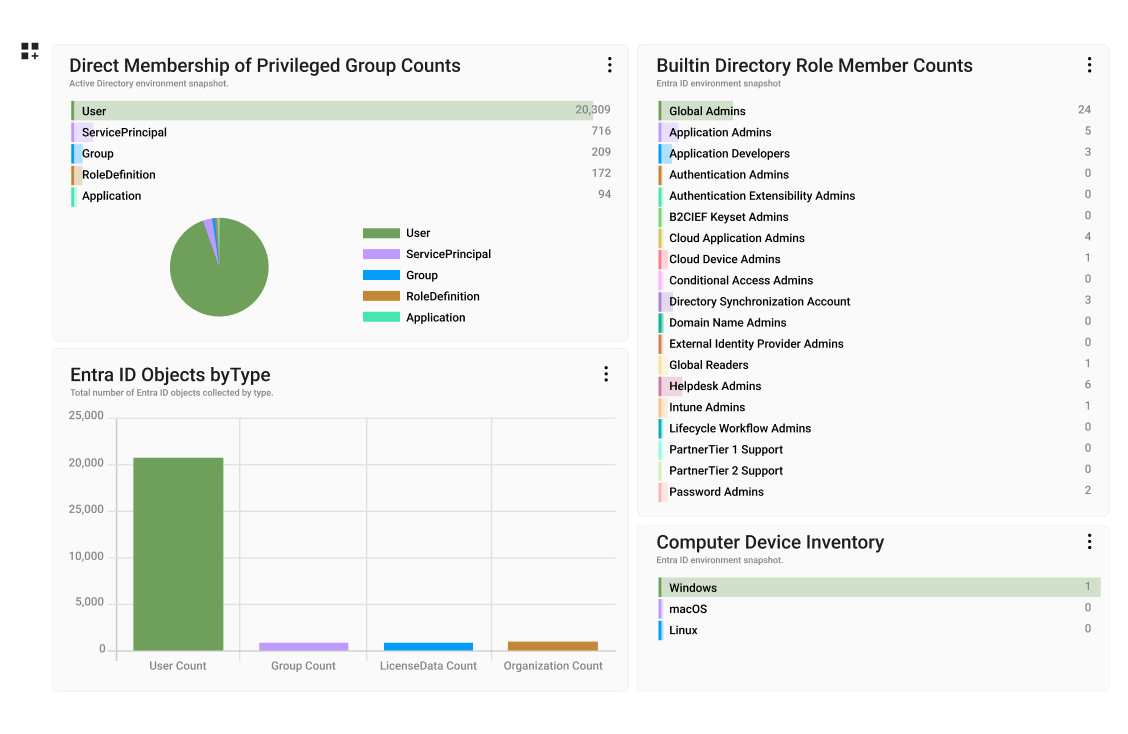
Fully customizable Dashboards and Graphical Reports
Easily see at a glance an inventory of objects in your tenant, all role members, devices etc. or generate simple graphical reports that show assigned roles, administrative unit membership, object membership and object ownership of users in a consolidated map.

Find High Risk Permissions
Locate potentially high-risk permissions in your environment. Find settings that could be giving broad access to sensitive resources or allowing unauthorised users to make permission changes.

Effective Permissions
Display the effective permissions to see directly set and inherited rights. Expand to see all trustees through group or role membership. Verify that only the desired users have the appropriate permissions.

Powerful Searching and Reporting
Search based on user access or permission perspectives using most recent or historical data. Built-in security audit reports provide answers to common important entitlement queries or easily create custom reports to suit your needs.
Take control of your systems today
Take the first step towards insight, alerts, and compliance on your audit data. Learn more by downloading a Cygna Auditor datasheet.
Request a Demo
Our experienced engineers will fine-tune the demo based on your specific needs. You’ll find out how easy it can be to secure your sensitive data.