
CYGNA SECURITY AND COMPLIANCE
Entitlement and Compliance
Gain visibility and report on entitlements in Active Directory and Entra ID to support security and compliance.

Increase your security posture and reduce your attack surface
Cleanup and modernize your Active Directory infrastructure
Validate and report on who has access and why
Find high risk permissions and settings
Verify the principle of least privilege and separation of duties
Entitlement Explorer
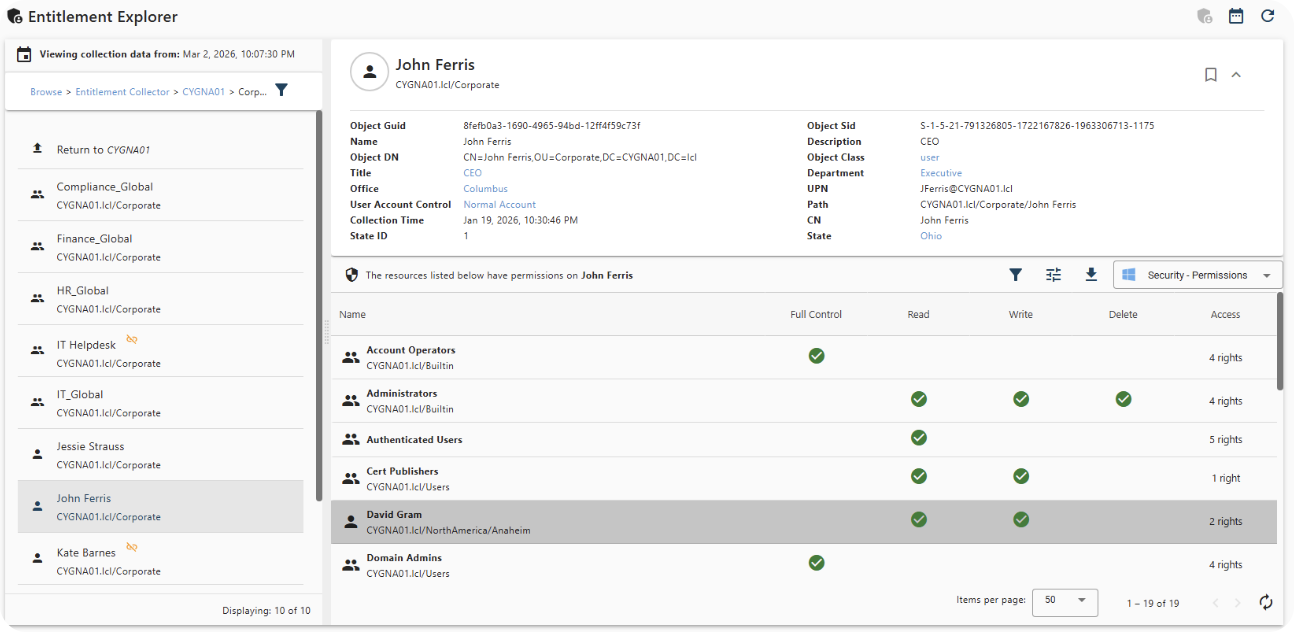
Cygna Auditor provides a unique view of your environment, allowing you to drill down into Active Directory and Entra ID. With the Active Directory Explorer, you can drill down into OU’s and even individual users and groups to easily determine who has access to those objects and see why. It’s easy to determine if those permissions are granted via group memberships or potentially through manual security delegations made against an OU, a specific object, or at the root of the Directory. The source of a user’s Entra permissions can be just as difficult to untangle.

Powerful Graphical Reports and Dashboards
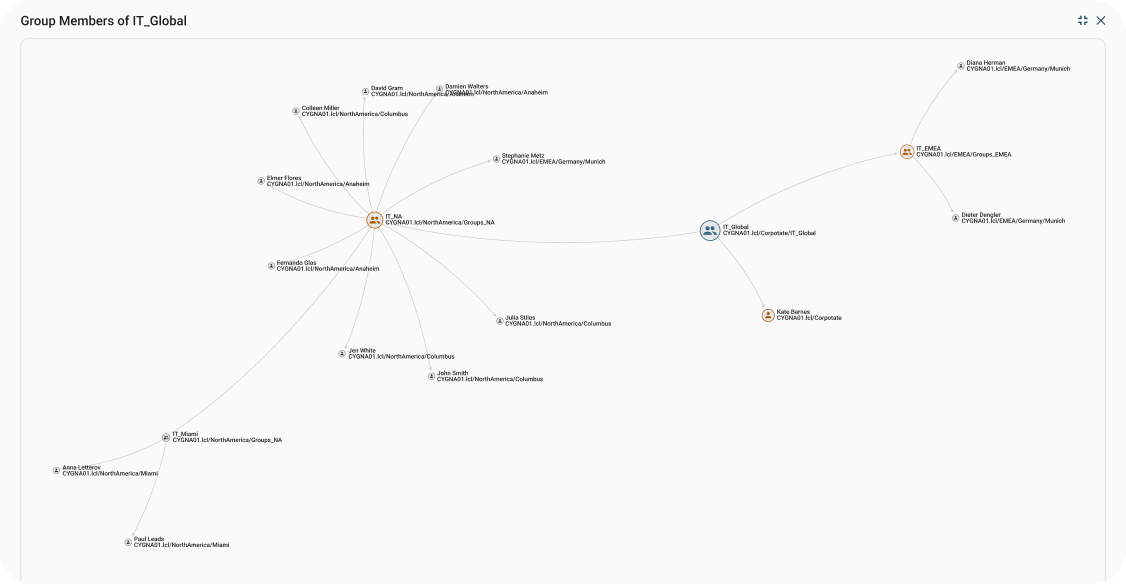
There is a powerful graphical depiction of groups, allowing you to see all members of that group and how those members and subgroups are nested inside of the group. It doesn’t help if you remove someone from a security group, if they are still a member of the main group through another nested group. Now you can easily see who is located inside of your groups and where.
Security Audit Reports
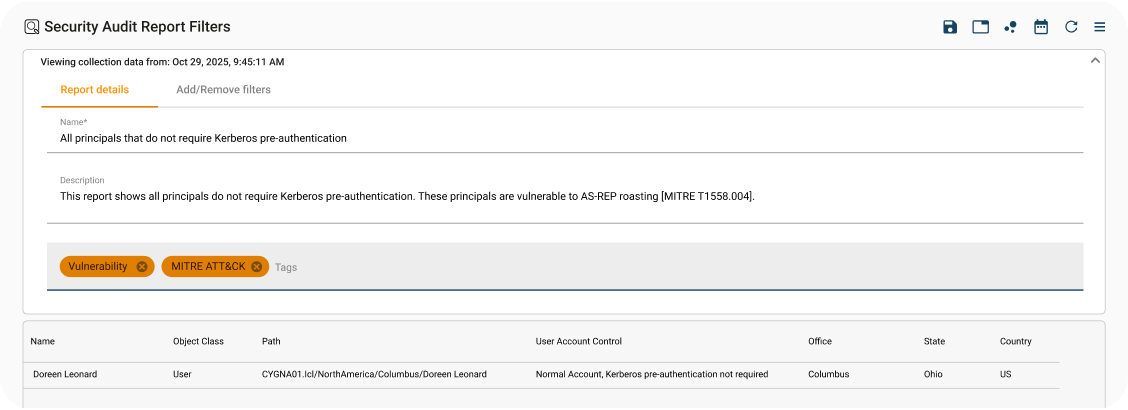
The Security Audit Reports offer a wide array of out of the box Security and Entitlement reporting options. You can quickly report on Administrative Units, group memberships, Roles and on who can make critical changes to Group Policies, FSMO Roles, Domain Controllers and see where users have access to these high risk assets. These reports can be run on demand or scheduled for delivery on a recurring basis.
You can build your own reports or utilize the existing report templates on Entitlements for Computer objects, Group memberships, Vulnerability Assessments and the MITRE ATT&CK Framework.
Let Us Help You Tackle Your IT Challenges
Schedule your demo today to see what's possible.